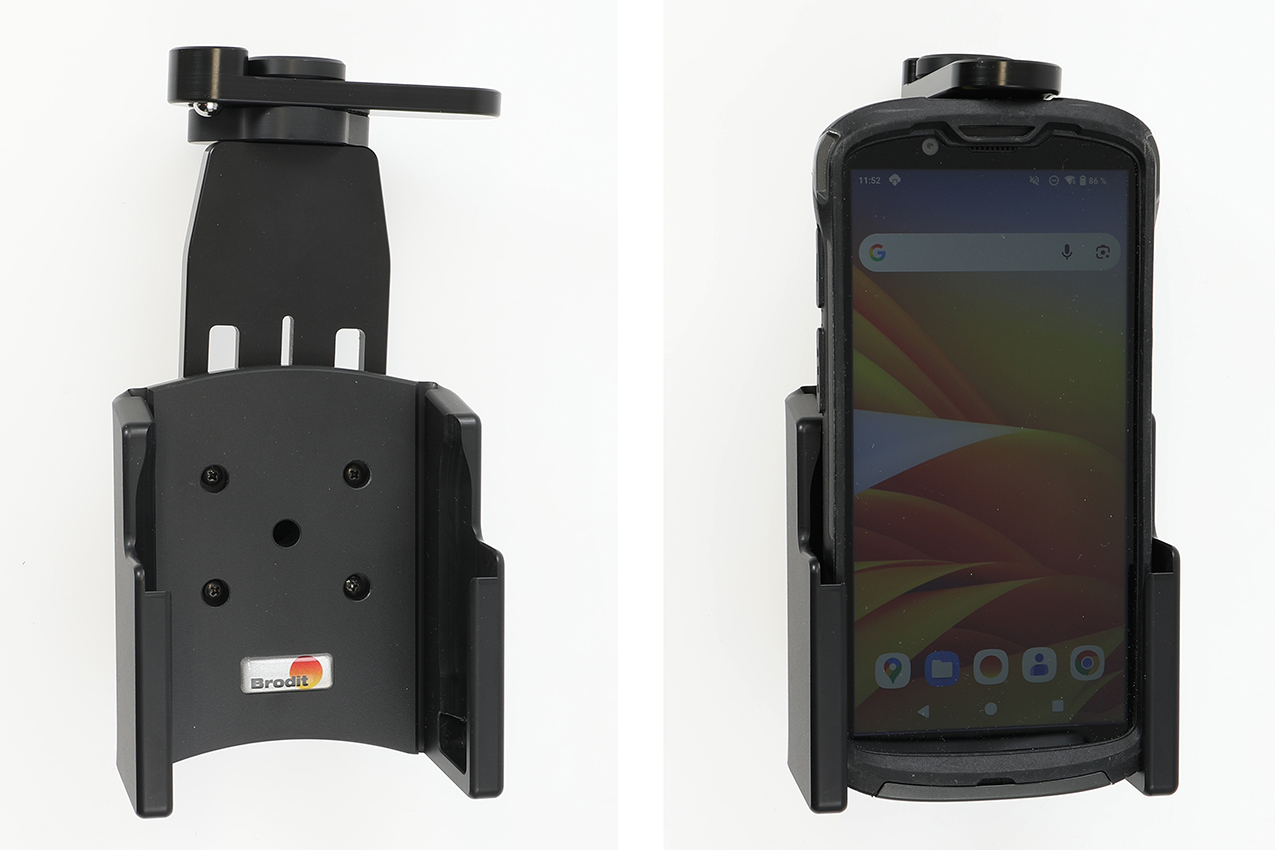
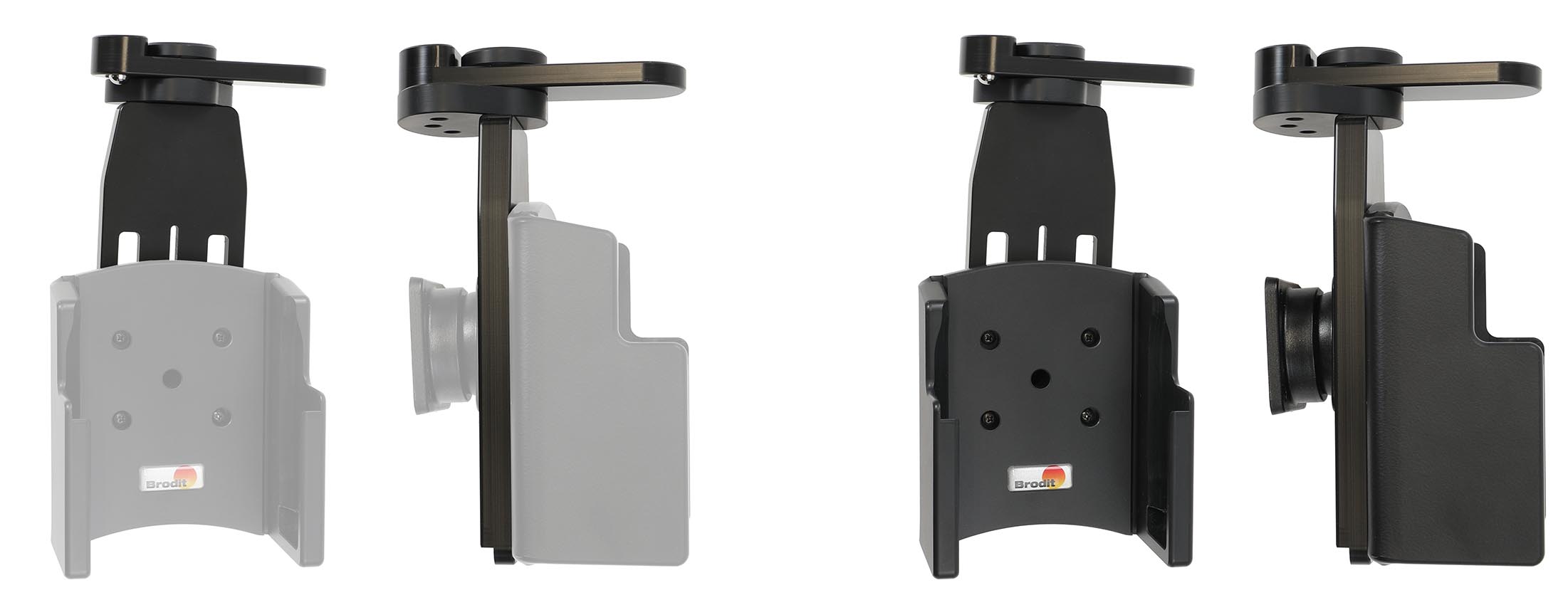
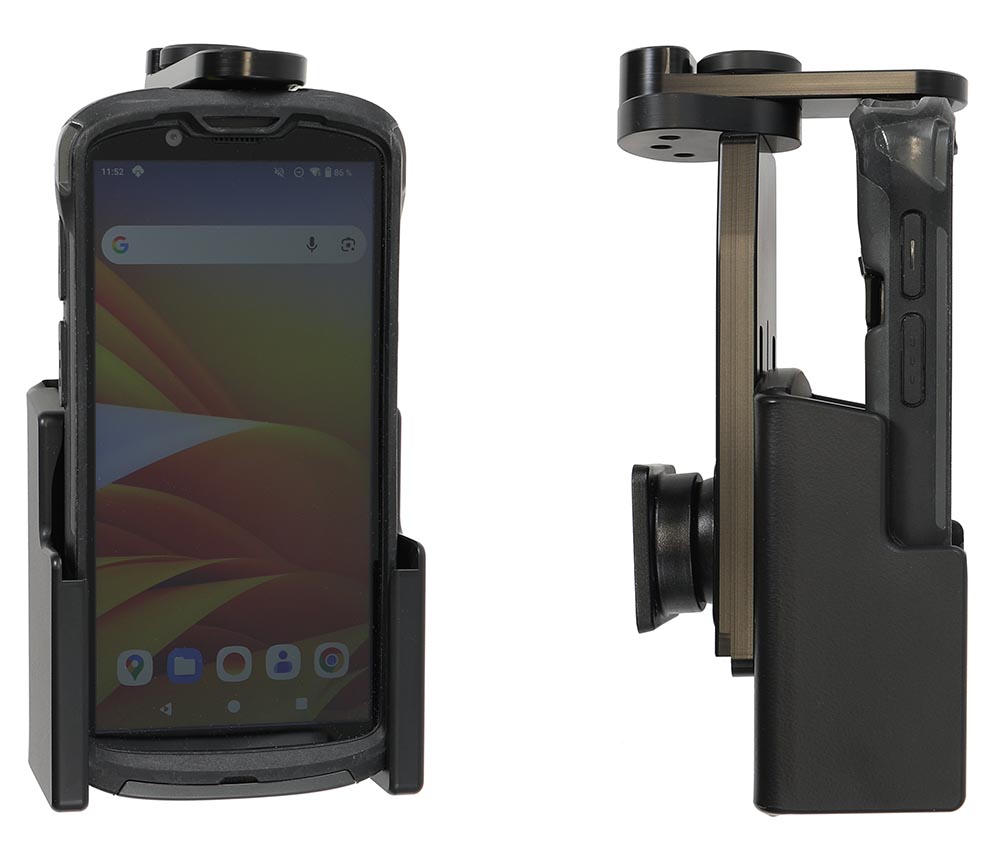
Please read all of the instructions and look at the pictures before installing.
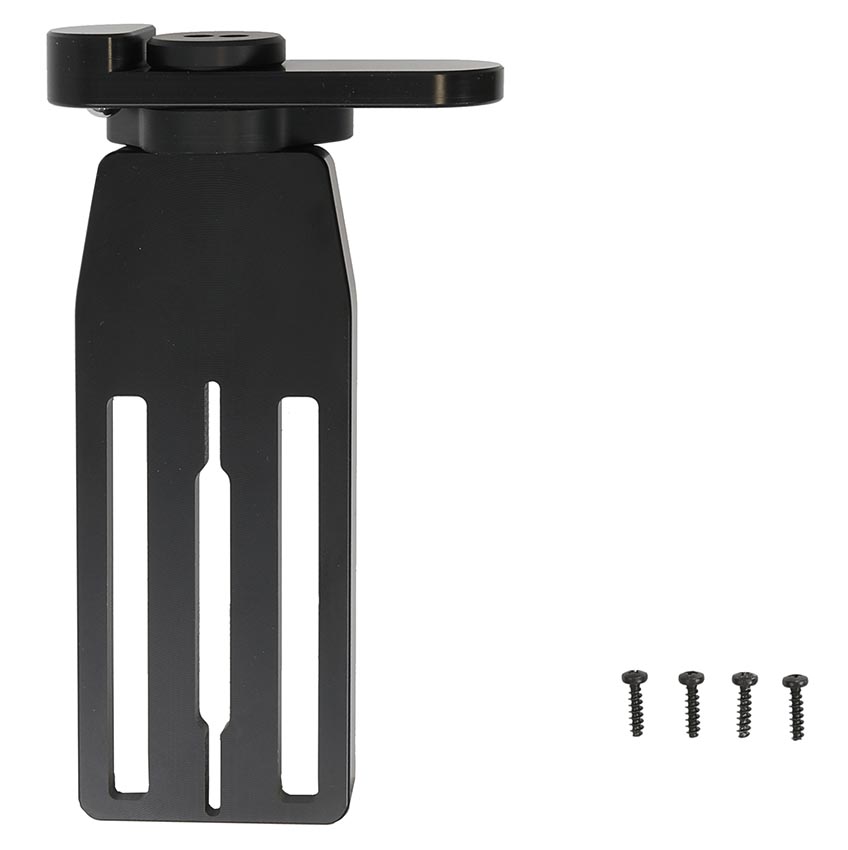
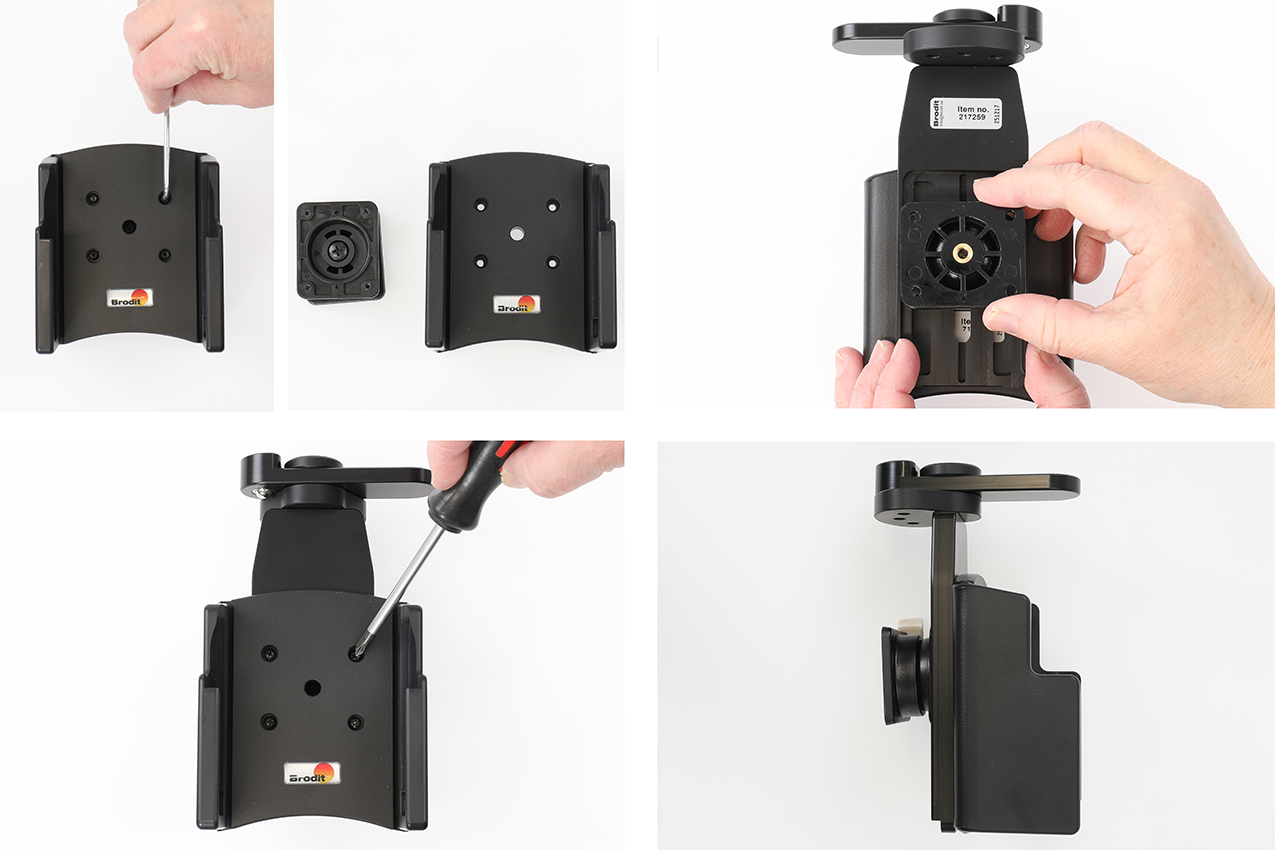
1. Remove the tilt swivel from the back of the holder by removing the screws in the holder front. Place the tilt swivel in the groove on the back side of the top support. Place the top support with the tilt swivel onto the back of the holder. Attach the parts together using the enclosed screws. Do not tighten the screws yet, only attach them so the top support is held in place but still can be adjusted in height.
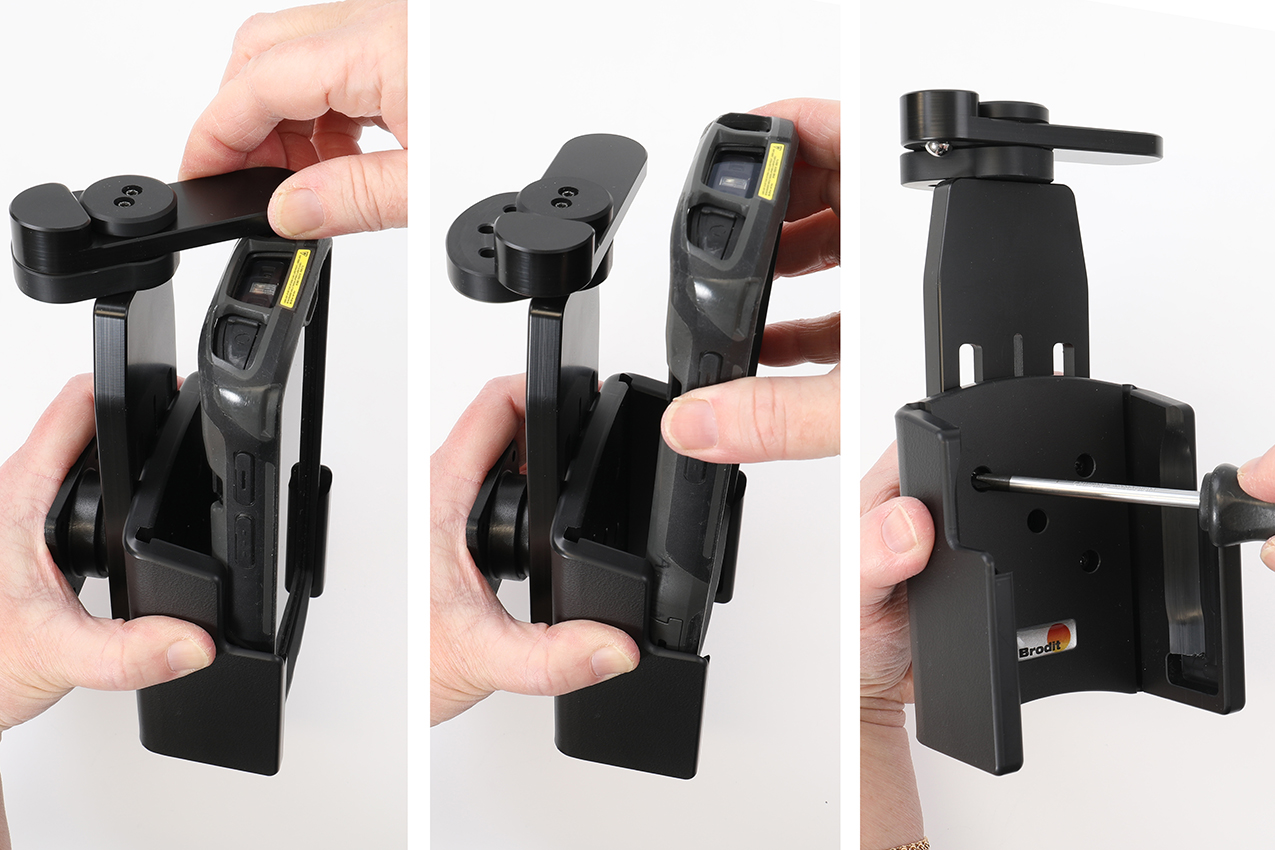
2. Place the device in the holder. Turn the swiveling top sideways so it is positioned over the device. Adjust the top support downward so it is rests agains the device. Keep the top support in that exact position. Turn the swiveling top to the side and take the device out from the holder without altering the position of the top support. Tighten the screws in the holder so the top support is firmly in place in the chosen position.
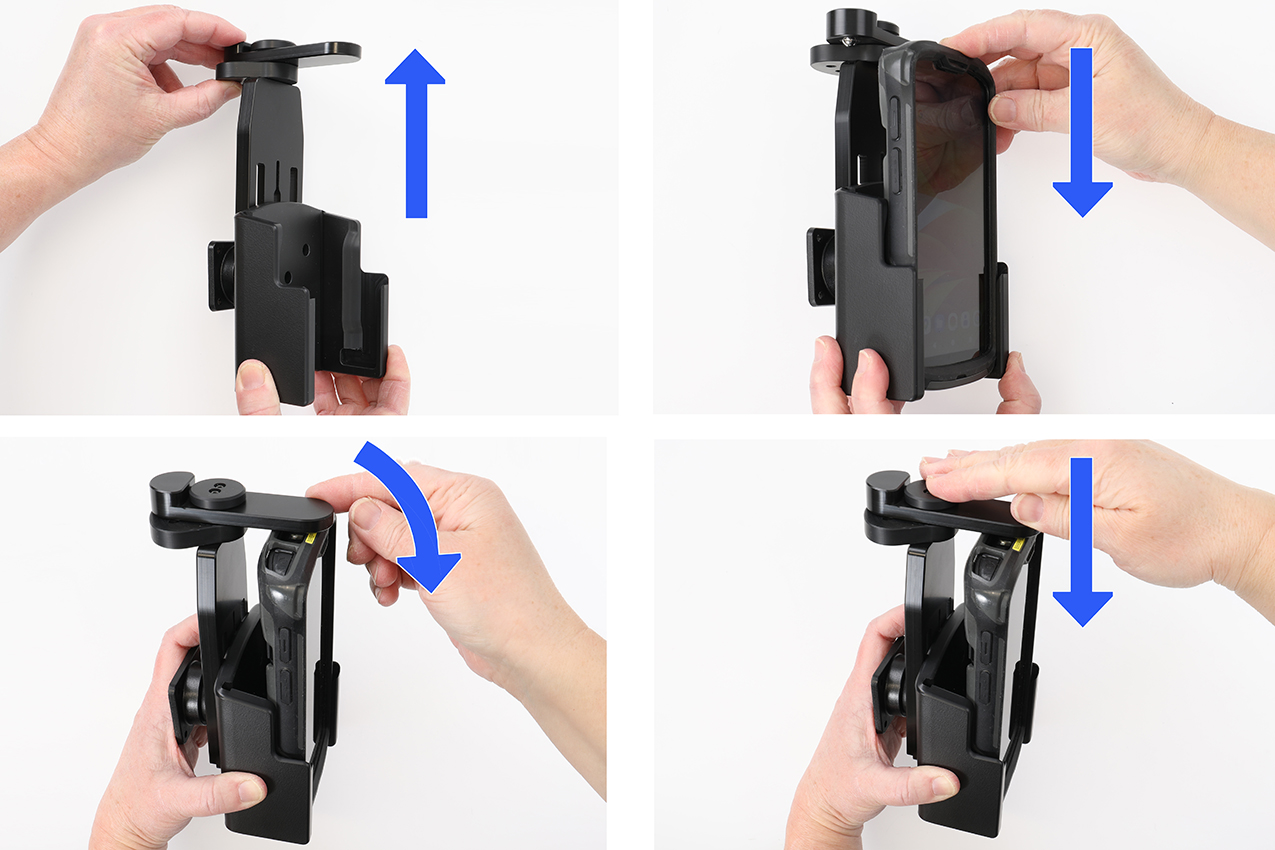
3. To place the device in the holder: Slide the device downwards into the holdere. Turn the swiveling top sideways onto the device so it holds the device in place. Press the button to lock.
To remove the device from the holder: Unlock the lock by using the key. Turn the swiveling top sideways away from the device, so the device is set free. Lift the device upward and out of the holder.
4. The swiveling top support is attached onto a holder.