
4K USB-C Hub with Mounting Cover
€207,00
Disponibile su ordinazione
| Codice Brodit | 217196 |
|---|---|
| EAN | 7320282171964 |
| Tipologia | 3-Port Expansion Hub with Mounting Cover |
Questo prodotto è compatibile con i modelli elencati qui sotto. Usa la ricerca per trovare il tuo, poi apri la pagina del modello per vedere tutti i supporti disponibili.
This hub uses USB 3.0+ to provide a USB-C connection for audio and video. Not all devices support external audio and video output through the USB-C port. If a device does not support this feature, the USB-C display port will not provide audio or video, but it will still function for connecting accessories such as keyboards, barcode scanners, RFID readers, and more.
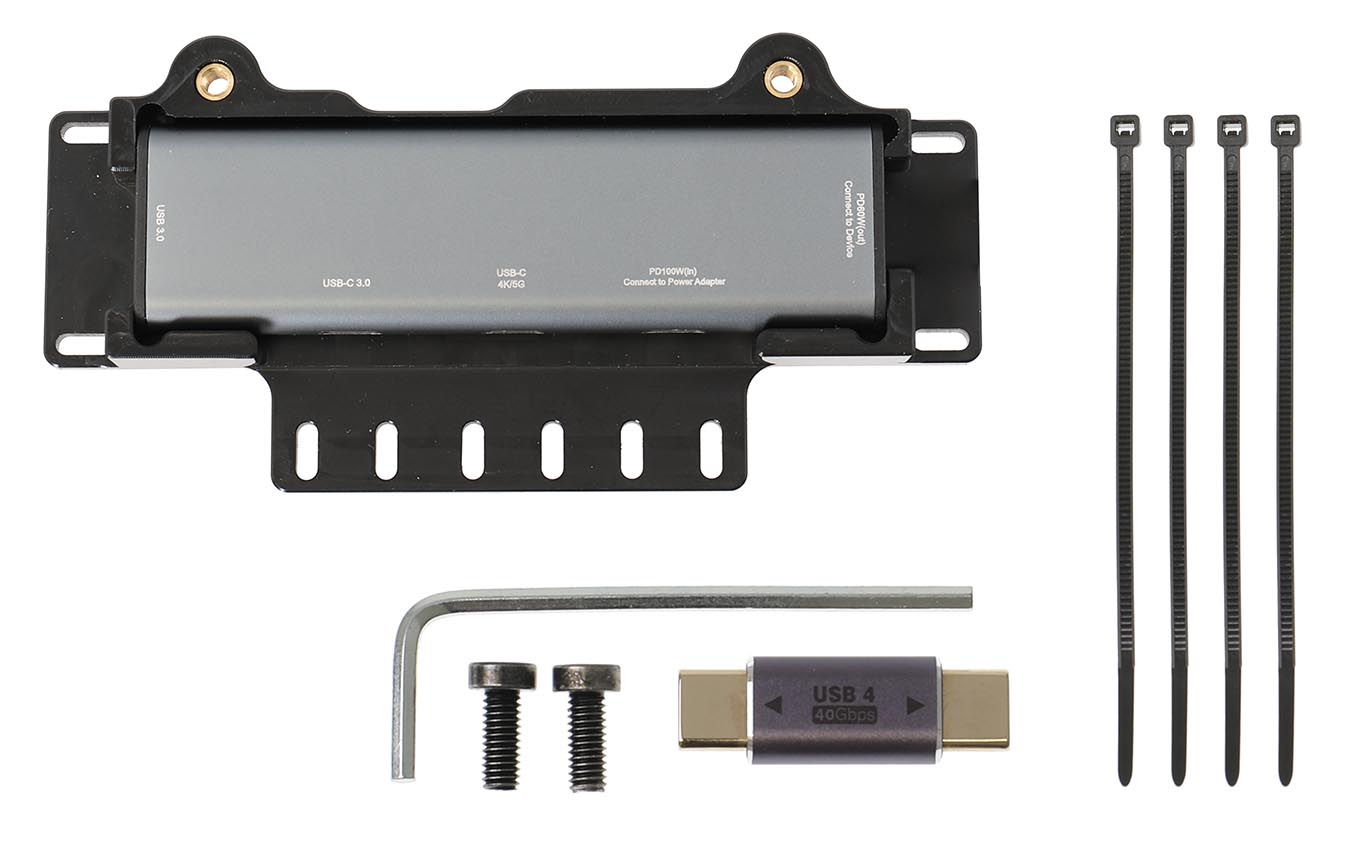
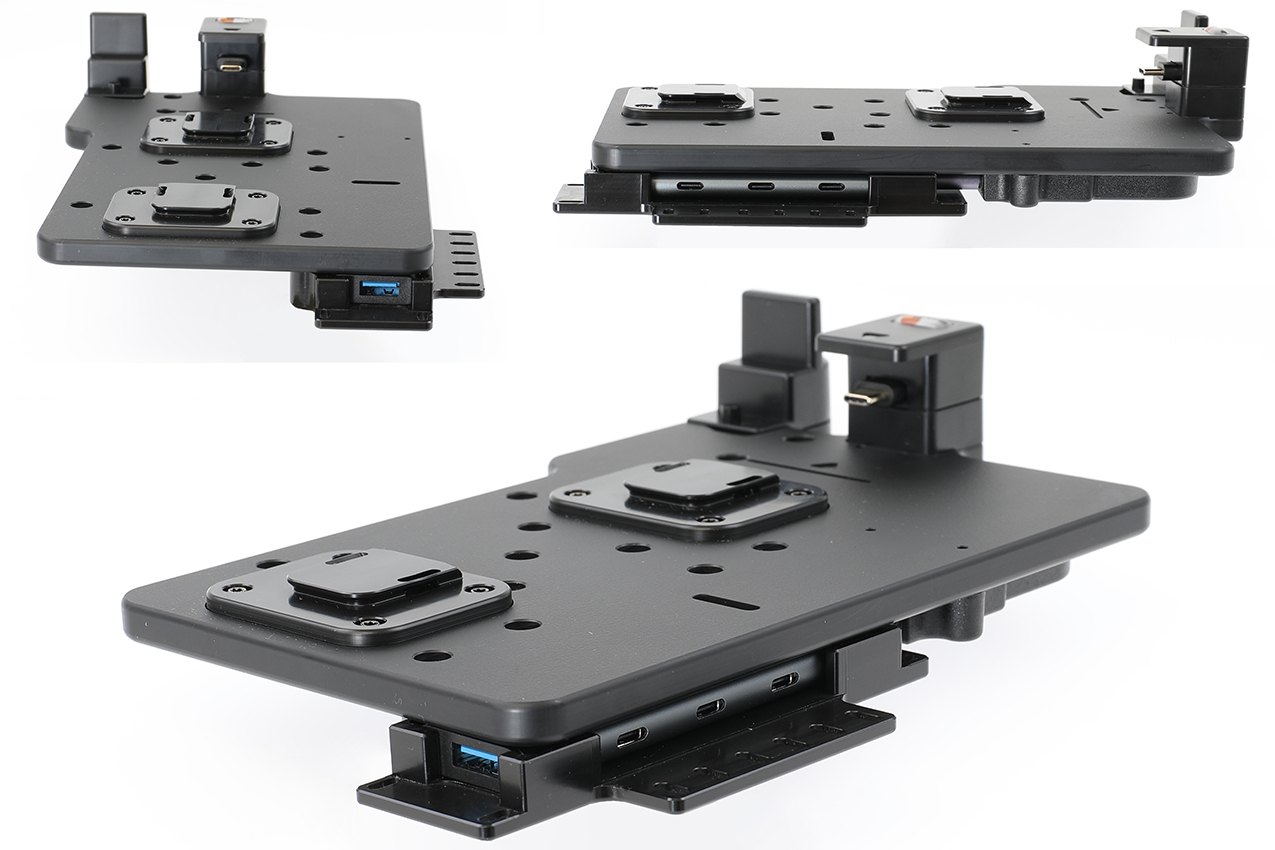
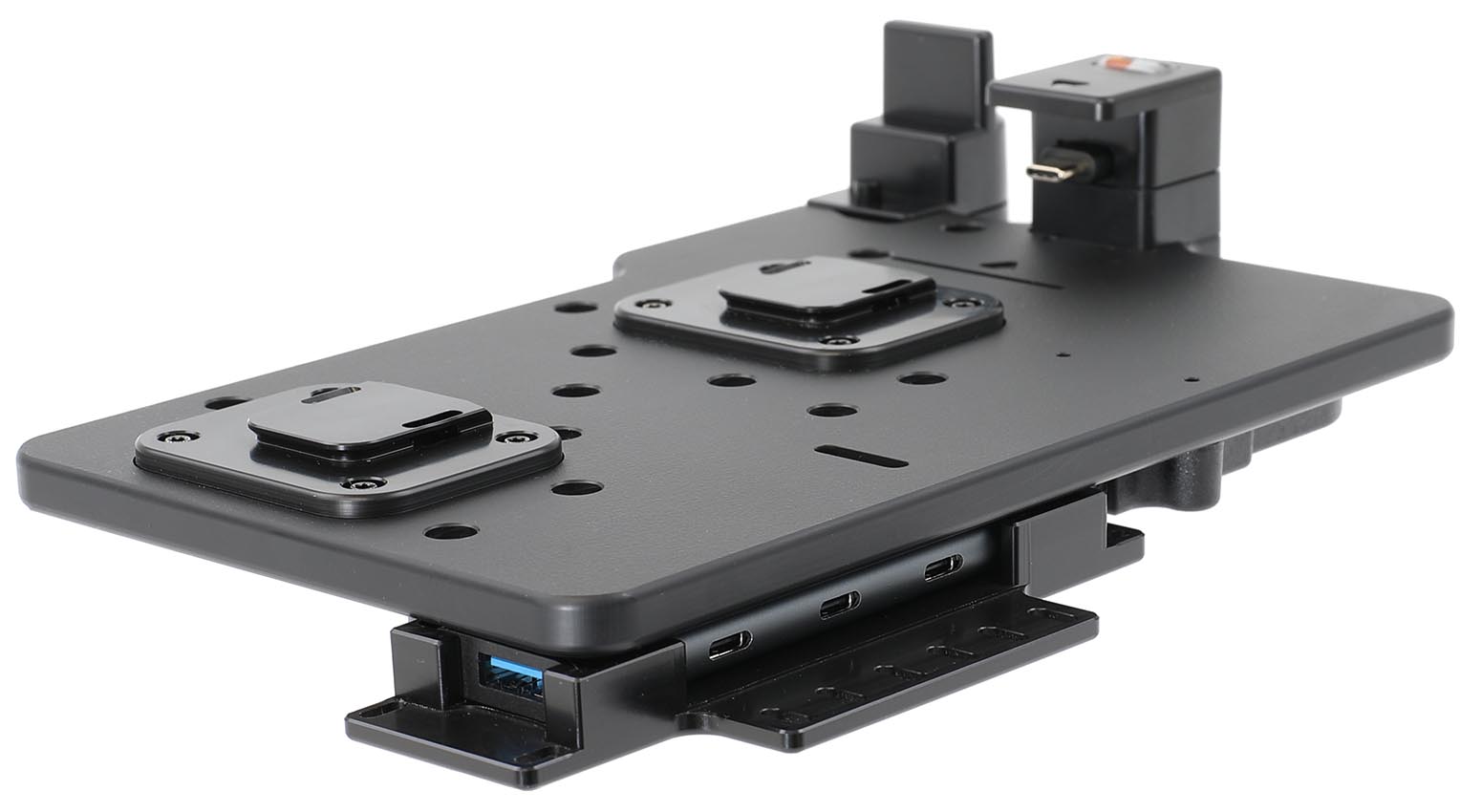
The included mounting cover features cable retention that allows you to secure connected cables using cable ties, preventing them from shaking loose or disconnecting during use. It is designed to mount easily onto existing ModTek Docks and selected USB-C charging tablet holders using the included fastener kit – no tools required.
Function:
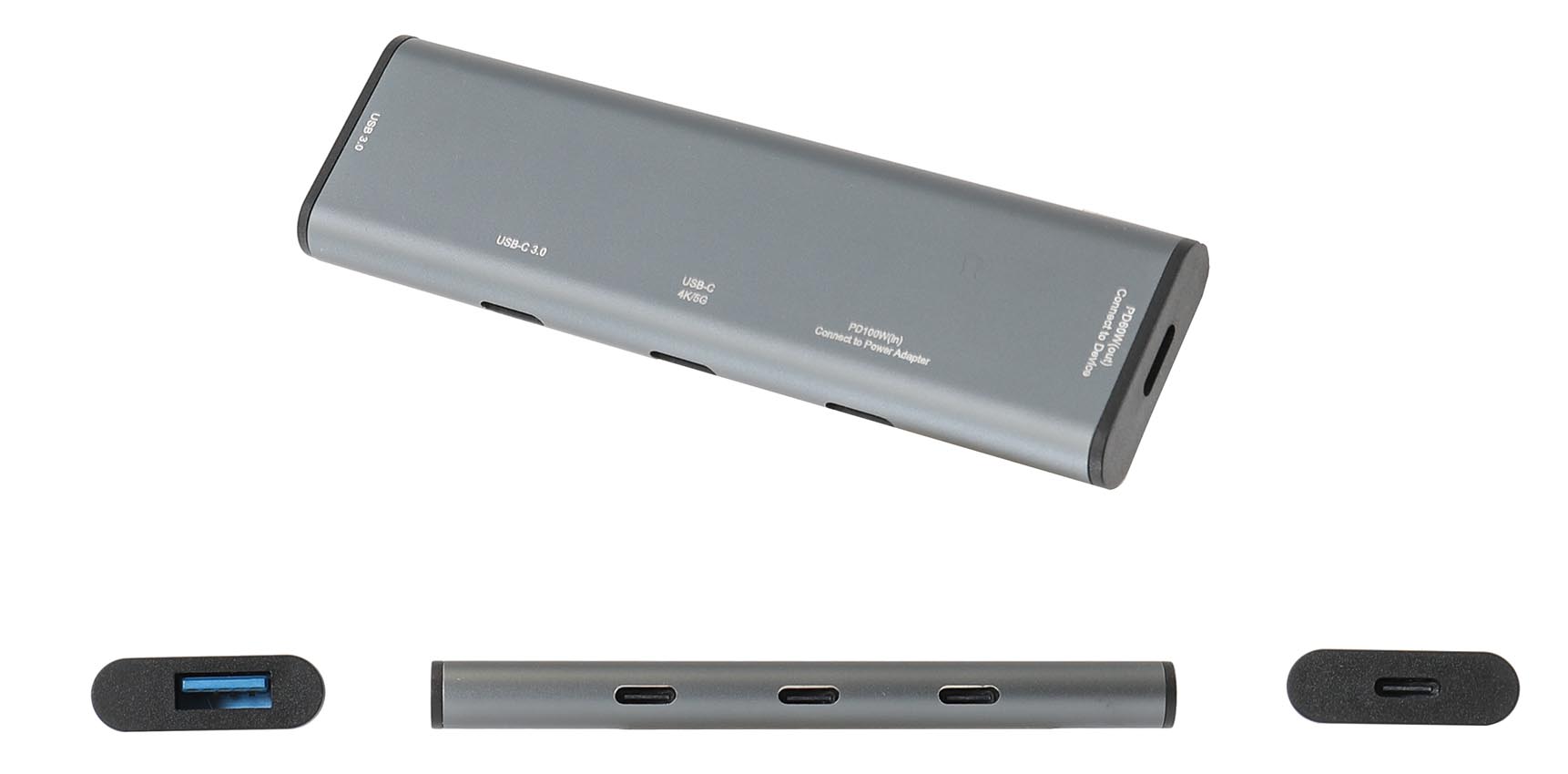
USB-A 3.0: 5 Gbps data transfer, 7.5 W max output charging
USB-C 3.0: 5 Gbps data transfer, 7.5 W max output charging
USB-C 4K/5G: 4K video and audio output, 5 Gbps data transfer, 15 W max output charging
USB-C PD input: Connect to power adapter, supports up to 100 W Power Delivery
USB-C PD output: Connect to device, supports up to 60 W Power Delivery
Please read all of the instructions and look at the pictures before attaching the module.
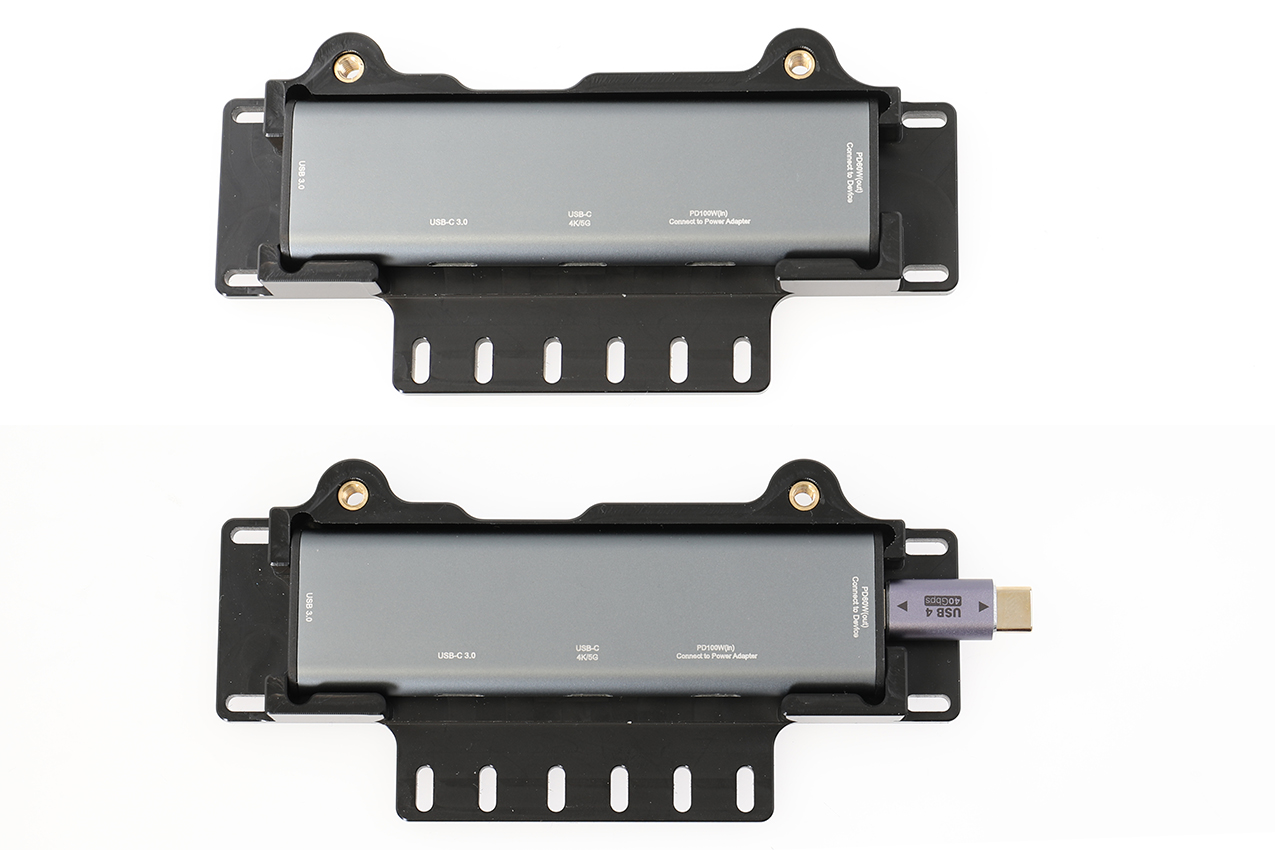
1. Hub and Cover: Before installing the hub, it needs to be inserted into the cover. Ensure the hub ports align with the cable retention slots as shown in the pictures. The included USB-C male to male adapter included is used to connect the hub directly to the back of the USB-C 3.1 dock.
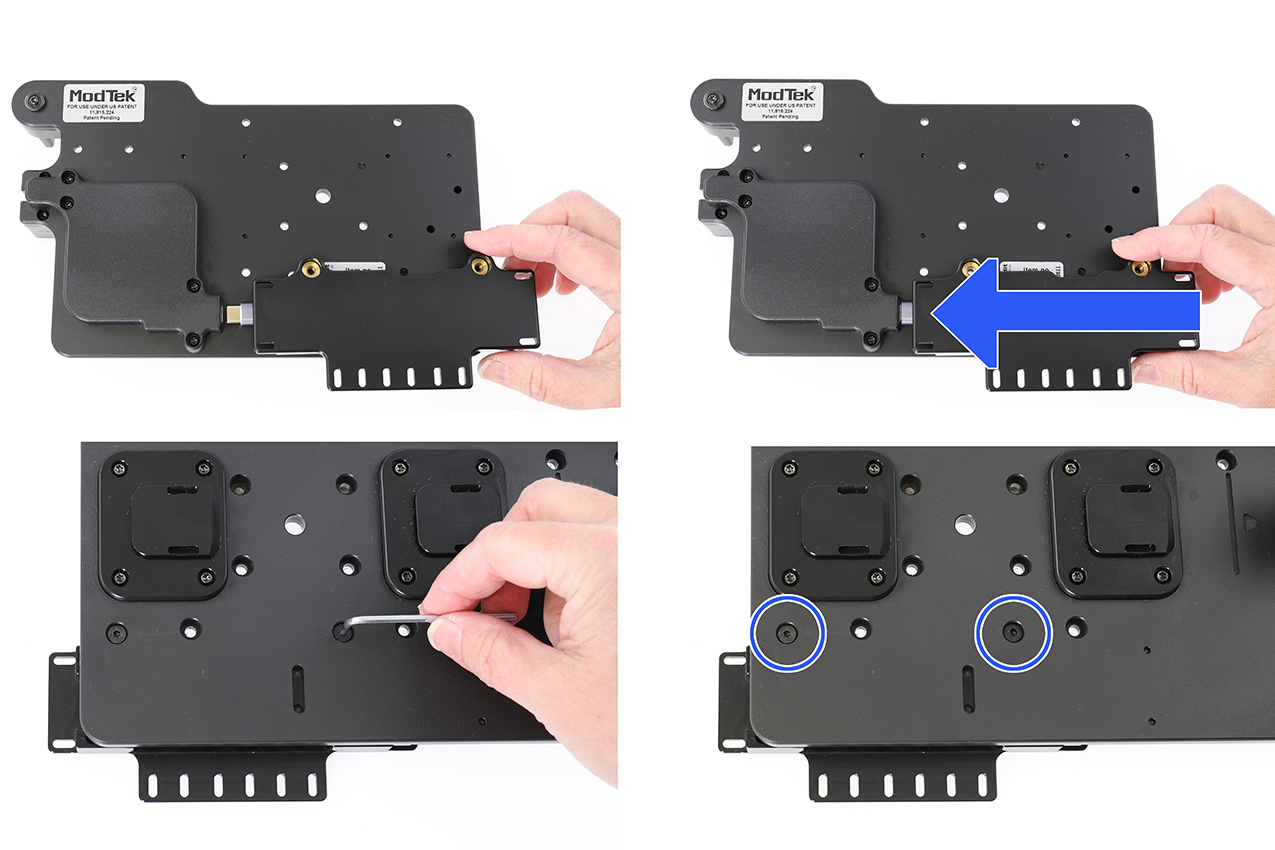
2. Slide the hub and cover onto back of the dock ensuring the USB-C adapter engages into the hub and secures it. Secure the Hub: Using the included fasteners and tool, secure the hub cover to the dock.
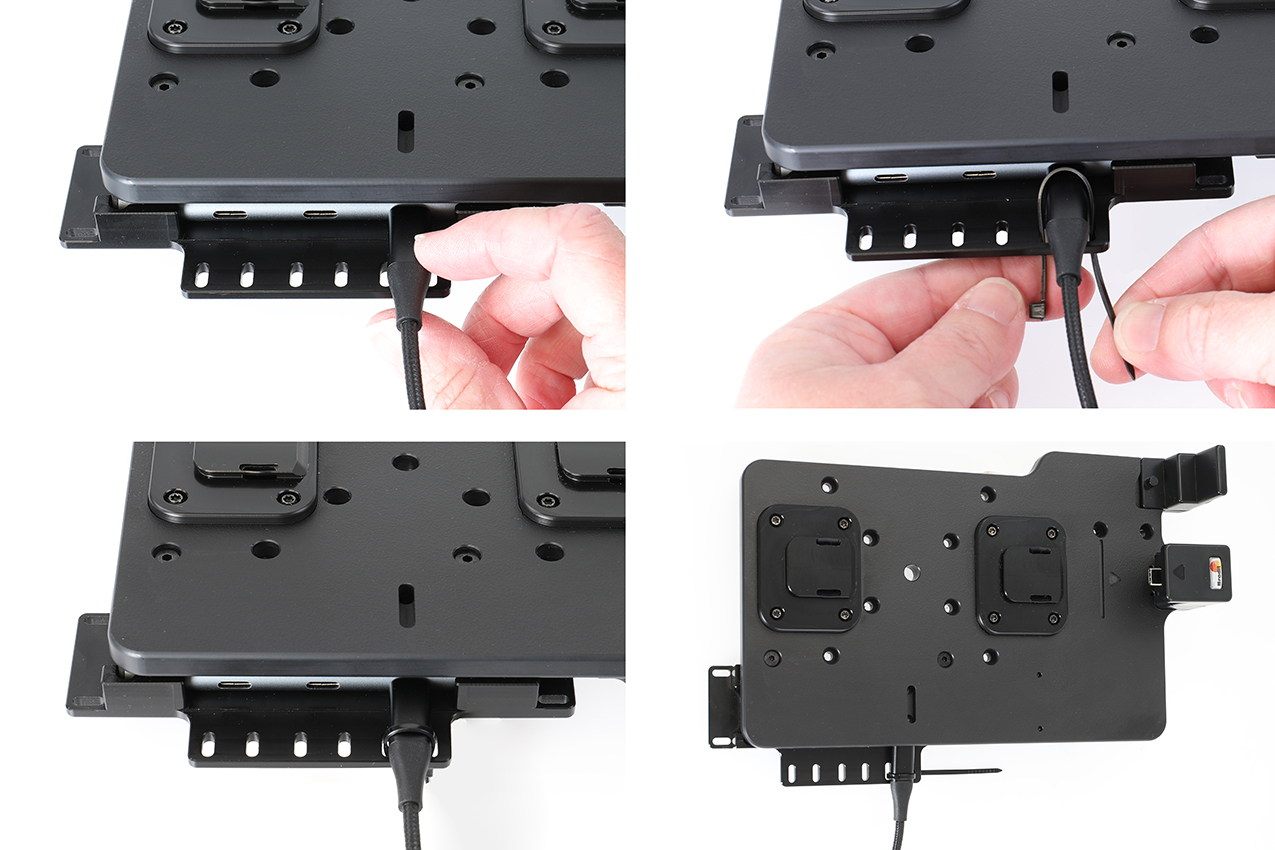
3. Secure any USB cables with the included Zip ties as shown in the pictures.
4. The holder and hub is in place.